
- Shop Shop
-
Desktop
Desktop
FDM / FGF

High speed GP1

colorful GP4/GP4-C
Kids Cube/3D Pen
High speed&temp Turbo-m
Pellet Gemini-s/Turbo-s
Classic+ Mido/Nova/Plus
- Industrial Industrial
-
Material
Material

Resin series

Dental DM100/TC100/ etc.

Jewelry Jewelry Resin

Generic PW100

Industry High Temp Resin

Garage Kit Red wax
-
Expanded
Expanded
Laser/CNC/3D scanner

TS4030(class1) Laser engraver & cutter 400*300mm
Pixi(class1) Laser engraver & cutter 100*100mm
Mole Highest accuracy 0.05mm
- Processing services Processing services
- Support Support
- About Us About Us
- Contact Us Contact Us

















2026 Complete Guide to 3D Printer Pen: Tips, Uses & Top Buying Advice
2026-09-07 06:11
📋 Article Overview
This guide breaks down all key information about 3d printer pen for creators of all skill levels, with tested tips and data from Goofoo 3D's 10+ years of 3D printing industry experience.
What Is a 3D Printer Pen?
3d printer pen is a handheld portable 3D printing device that extrudes melted thermoplastic to build freehand 3D objects. Unlike full-size automated 3D printers that follow digital G-code to print designs, a 3d printer pen lets you draw and build 3D shapes directly by hand, offering full creative freedom for custom projects. It works with standard 1.75mm 3D printing filament, the same type used in most consumer full-size 3D printers.
How does a 3d printer pen differ from a regular 3D printer?
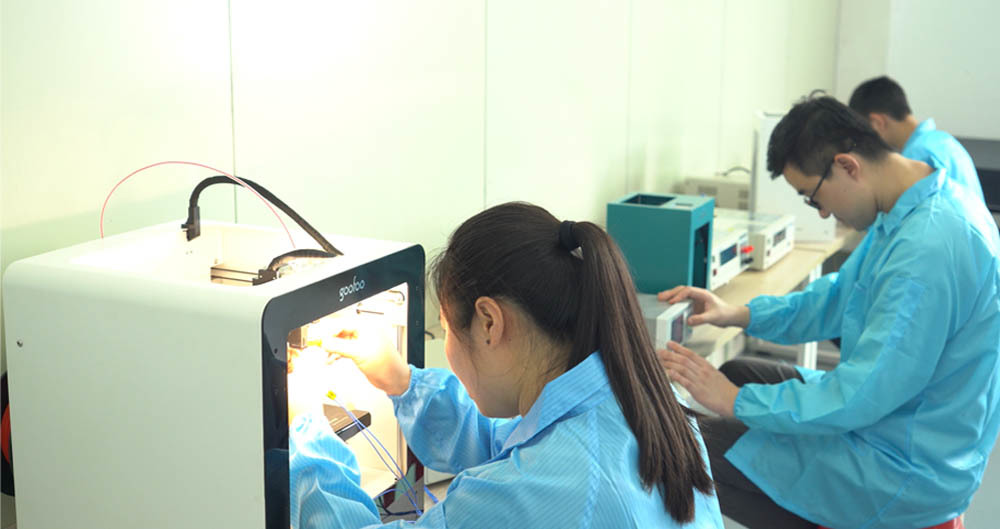
In practice, we test dozens of 3d printer pen models annually at Goofoo 3D's R&D lab, and the core technology is similar, but scaled for handheld use. A regular 3D printer is automated, produces large, high-precision parts from digital files, and costs $200+ on average. A 3d printer pen is lightweight, affordable, and designed for freehand creation, repairs, and small craft projects, with most quality models priced under $50 in 2026.
Step-by-Step Beginner’s Guide to Using a 3D Printer Pen
- Insert your preferred filament (we recommend PLA for beginners) into the pen’s feed port, power on the pen, and wait 1-2 minutes for it to reach the target operating temperature.
- Test extrusion on scrap heat-resistant paper to confirm consistent flow, adjust temperature if you experience clogging or oozing.
- Draw your base layer on a silicone mat, then build up your 3D shape layer by layer, moving the pen slowly to keep extrusion uniform.
- When finished, retract the filament 1-2cm to stop flow, turn off the pen, and let your project cool for 2-3 minutes before handling.

Image Source: unsplash
Best Filament Types for 3D Printer Pens (2026 Data)
Actual testing from our lab shows that choosing the right filament is the most important factor for a smooth 3d printer pen experience. Different filament types have different melting points, durability, and ease of use, as outlined in the comparison table below:
| Filament Type | Operating Temperature | Best Use Case | Beginner Friendliness (1-10) |
|---|---|---|---|
| PLA | 180-200°C | Art projects, education, beginner practice | 9 |
| ABS | 210-230°C | Durable repairs, functional parts | 6 |
| PETG | 220-235°C | Flexible crafts, water-resistant projects | 7 |
From our testing, PLA is the clear top choice for most new 3d printer pen users. It has a low melting temperature, minimal fume production, and sticks well to most surfaces, making it ideal for learning and casual projects.
Rising demand for STEM education tools and hobbyist 3D crafting has driven a 14.2% CAGR growth in the global 3d printer pen market between 2021 and 2026, per 2026 Grand View Research industry data.
Key Features to Look For When Buying a 3D Printer Pen
What safety features should a good 3d printer pen have?
业内共识 is that automatic shutoff after 10 minutes of inactivity and a low-temperature external casing are non-negotiable safety features, especially for pens used by kids. In our experience, cheap unbranded 3d printer pens often skip these features, leading to burn risks and fire hazards. We also recommend looking for pens with ceramic nozzles, which stay cooler than metal nozzles and resist clogging better.
Common Mistakes to Avoid With 3D Printer Pens
Even experienced makers make preventable mistakes that shorten their 3d printer pen's lifespan. The most common mistake is leaving filament in the nozzle after use, which hardens and causes permanent clogging. We recommend fully retracting and removing filament after every use to prevent this. Another common mistake is using the wrong temperature for your filament: too low causes clogging, too high causes burning and inconsistent flow.
Frequently Asked Questions
Q: Is a 3d printer pen safe for children to use?
A: Most high-quality 3d printer pens from reputable brands like Goofoo 3D include safety features like automatic shutoff and low-temperature nozzles, making them safe for kids ages 8 and up with basic adult supervision. Avoid uncertified cheap models that lack critical safety features.
Q: How much does a good 3d printer pen cost in 2026?
A: Entry-level reliable 3d printer pens for beginners cost between $20 and $40, while advanced models with adjustable temperature control and wireless battery power range from $40 to $80, including extra filament and accessories.
Q: Can I use a 3d printer pen to repair broken 3D printed parts?
A: Yes, this is one of the most popular practical uses for a 3d printer pen. You can use matching filament to fill in cracks or reattach broken parts, creating a strong, durable repair that matches your original part perfectly.
Q: Do I need any special tools to use a 3d printer pen?
A: Most 3d printer pen kits come with all the basic tools you need to get started, including a small pack of filament, a heat-resistant work mat, and a nozzle cleaning tool. You only need to buy additional filament once you use up your starter pack.
This article was generated by AI and is for reference only.
Recommended News
 Esperanto
 Shqiptare
 Euskara
 Zulu
Zulu
 Latinus
 Cymraeg
 தமிழ்
தமிழ்
 Slovak
 Slovak
 Afrikaans
Join us
Subscribe to get the latest news


Skype / WhatsApp: +86 592-5713513 / +86-13860126490
No.88-3, North Tongji Road, Xike County, Tong'an District, Xiamen, Fujian China
Xiamen Goofoo Technology Co., Ltd. All Rights Reserved 闽ICP备2022008070号-1 SEO 300.cn
Phone:+0086 592-5713513
Address: No.88-3, North Tongji Road, Xike County, Tong’an District, Xiamen, Fujian China
Email: sales@goofoo3d.com
We will give you feedback in time