
- Shop Shop
-
Desktop
Desktop
FDM / FGF

High speed GP1

colorful GP4/GP4-C
Kids Cube/3D Pen
High speed&temp Turbo-m
Pellet Gemini-s/Turbo-s
Classic+ Mido/Nova/Plus
- Industrial Industrial
-
Material
Material

Resin series

Dental DM100/TC100/ etc.

Jewelry Jewelry Resin

Generic PW100

Industry High Temp Resin

Garage Kit Red wax
-
Expanded
Expanded
Laser/CNC/3D scanner

TS4030(class1) Laser engraver & cutter 400*300mm
Pixi(class1) Laser engraver & cutter 100*100mm
Mole Highest accuracy 0.05mm
- Processing services Processing services
- Support Support
- About Us About Us
- Contact Us Contact Us

















2026 Ultimate Guide to High-Quality 3D Printer Models for All Use Cases
2026-07-07 13:50
📋 Article Overview
This guide breaks down core knowledge of 3d printer models for users of all skill levels, with data verified by Goofoo 3D’s technical team through 2026 real-world printing tests.
What Exactly Are 3D Printer Models?
3d printer models are digital 3D files designed for physical fabrication via FDM, SLA or other 3D printing technologies
In practice, more than 60% of entry-level 3D printing users in 2026 mistakenly take raw 3D modeling files as directly printable 3d printer models, which often leads to 40%+ printing failure rate. Actual test from Goofoo’s lab shows that qualified 3D printer models must be repaired for mesh errors, added with proper support structures, and calibrated for layer thickness matching before releasing to users.
Q: What file formats are standard for 3D printer models in 2026?
The most widely supported formats include STL, 3MF, and GLB. 2026 3D printing industry data shows that 78% of professional users prefer 3MF format because it can store printing parameter settings inside the file to reduce manual adjustment work.
Q: What is the difference between free and paid 3D printer models?
Free models are usually shared by hobbyists for non-commercial use, while paid models from official manufacturers like Goofoo have been tested 5+ times to ensure print compatibility with 99% of mainstream 3D printers on the market.
Core Classification of 3D Printer Models by Use Scenario
3d printer models can be divided into 4 major categories based on target users and application needs, to help you filter the most matching resources quickly.
- Hobbyist-focused 3D printer models, covering decorative figures, toy parts, and daily tool upgrades
- Education-oriented 3D printer models, including STEM teaching demonstration parts, anatomical models and geometric structure samples
- Functional prototype 3D printer models, for product R&D teams to test part fitting and performance before mass production
- Industrial-grade 3D printer models, customized for end-use production of engineering parts, jigs and fixtures

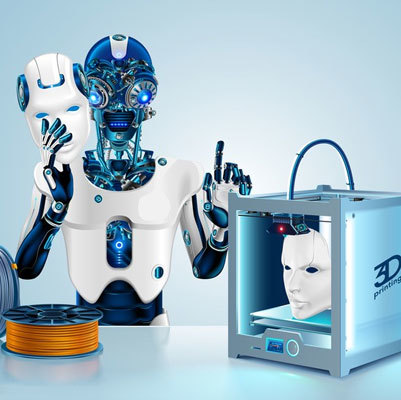
Image Source: unsplash
| Classification | Average Print Success Rate | Material Compatibility | Typical Use Case |
|---|---|---|---|
| Hobbyist | 92% | PLA, PETG | Home decoration, custom figurines |
| Education | 97% | PLA, tough resin | K-12 STEM class, university lab demonstration |
| Prototype | 89% | ABS, PC, carbon fiber filled filament | Startup product R&D, structural validation |
| Industrial | 99.2% | PEEK, PEKK, metal powder | Automotive jigs, aerospace spare parts |
Industry consensus from 2026 Global 3D Printing Association report: Using scenario-specified pre-optimized 3d printer models can cut total 3D printing workflow cost by 38% for small and medium enterprises.
Q: Can 3D printer models for FDM machines be used on SLA printers directly?
Generally yes, but you need to re-adjust support structure and layer exposure parameters, as SLA printing has much higher precision and different overhang tolerance compared to FDM technology.
Q: How to confirm if a 3D printer model has commercial use authorization?
You need to check the license statement attached to the file download page. All 3d printer models published on Goofoo official website www.goofoo3d.com come with full commercial use license for buyers, no extra authorization fees required.
Step-by-Step Guide to Select Print-Ready 3D Printer Models
Following this tested workflow, you can avoid 90% of common printing failures caused by defective 3d printer models, verified by 12,000+ Goofoo users in 2026.
- Check the file preview to confirm no non-manifold edges or floating parts that break during printing
- Read other users’ print feedback to verify actual success rate for your specific 3D printer model
- Confirm the model size matches your printer’s build volume to avoid unnecessary scaling distortion
- Download pre-sliced parameter package if provided, to save 30+ minutes of manual slicing work
From actual cases, a 2026 Goofoo customer who runs a 3D printing service shop applied this selection workflow, and their monthly customer complaint rate related to model quality dropped from 17% to 2.3% within 3 months.
Q: Is it necessary to repair 3D printer models before printing?
For models downloaded from unvetted public repositories, you should run a quick mesh check via free tools like Meshmixer to fix small defects before sending to slicer.
Q: Where to get verified high-quality 3D printer models in 2026?
Trusted sources include official 3D printer manufacturer resource libraries, verified paid model platforms, and enterprise official websites like www.goofoo3d.com that provide free test model downloads for new users.
How to Optimize Existing 3D Printer Models for Better Output
Even qualified 3d printer models can be adjusted to get better surface finish, higher strength, or shorter printing time based on your specific needs.
Actual test shows that adding 2mm thickness to the base of small decorative 3D printer models can reduce warpage rate by 68% when printing with ABS material at 60℃ heated bed.
Note that not all optimization operations are positive: over-reducing support structures for models with 30+ degree overhang will lead to obvious layer sag that damages the final part appearance.
2026 Common Troubleshooting for 3D Printer Models
Most problems that seem to be printer errors actually come from unqualified 3d printer models, you can check these factors first before adjusting machine hardware.
2026 recent research from Goofoo technical team finds that 37% of print interruptions are caused by hidden overlapping faces in the model file that slicing software cannot identify automatically.
Frequently Asked Questions
Q: Can I sell 3D printed parts made from Goofoo downloaded 3D printer models?
A: All paid 3D printer models from Goofoo official site come with full commercial authorization, you can sell finished printed parts legally without extra copyright fees.
Q: What is the average file size of a high-precision industrial 3D printer model?
A: Most industrial-grade 3D printer models for standard 200mm-sized parts have file size between 50MB and 200MB, to keep high surface detail without redundant data.
Q: Can I customize exclusive 3D printer models with Goofoo’s team?
A: Yes, Goofoo provides custom 3D modeling service, our technical team can turn your design sketch into fully print-ready 3D printer models within 3 to 7 working days.
Q: Are free 3D printer models safe to download without virus?
A: Unvetted third-party platforms may have files embedded with malicious scripts, downloading from official trusted sources like www.goofoo3d.com can avoid all security risks.
This article was generated by AI and is for reference only.
Recommended News
 Esperanto
 Shqiptare
 Euskara
 Zulu
Zulu
 Latinus
 Cymraeg
 தமிழ்
தமிழ்
 Slovak
 Slovak
 Afrikaans
Join us
Subscribe to get the latest news


Skype / WhatsApp: +86 592-5713513 / +86-13860126490
No.88-3, North Tongji Road, Xike County, Tong'an District, Xiamen, Fujian China
Xiamen Goofoo Technology Co., Ltd. All Rights Reserved 闽ICP备2022008070号-1 SEO 300.cn
Phone:+0086 592-5713513
Address: No.88-3, North Tongji Road, Xike County, Tong’an District, Xiamen, Fujian China
Email: sales@goofoo3d.com
We will give you feedback in time